Water Cooling Radiators


Corsair Hydro X Series XR7 240mm V2 Dual Fan Water Cooling Radiator

Magicool Copper Radiator Double Power - 160 mm

Alphacool NexXxoS XT45 Full Copper Radiator - 240mm

Alphacool NexXxoS XT45 Full Copper Radiator - 480mm

Alphacool NexXxoS HPE-30 Full Copper 560mm Radiator

Alphacool NexXxoS HPE-30 Full Copper 280mm Radiator

Corsair Hydro X Series XR5 NEO 240mm V2 Dual Fan Water Cooling Radiator

Alphacool NexXxoS HPE-45 Full Copper 360mm Radiator

Barrow Dabel-28a 120mm Single Fan Radiator with 28mm Depth - White

Alphacool NexXxoS HPE-30 Full Copper 360mm Radiator

EK Water Blocks EK-Quantum Surface S360 Triple Fan Radiator - Black - 360mm

EK Water Blocks EK-Quantum Surface P240M Dual Fan Radiator - Black - 240mm

EK Water Blocks EK-Quantum Surface S360 Triple Fan Radiator - Black Edition - 360mm

Barrow Dabel-20b 360mm Triple Fan Radiator with 20mm Depth - Black

Barrow Dabel-28a 360mm Triple Fan Radiator with 28mm Depth - White

Barrow Dabel-40a 240mm Dual Fan Radiator with 40mm Depth - Black

XSPC 140mm Universal Radiator Stand

Alphacool NexXxoS XT45 Full Copper Radiator - 360mm

Hardware Labs Black Ice Nemesis GTS 280 Satin White Radiator - 280mm

EK Water Blocks EK-Quantum Surface P360M Triple Fan Radiator - White - 360mm

Barrow Dabel-60d 360mm Triple Fan Radiator with 60mm Depth - Black

Barrow Dabel-28b 360mm Triple Fan Radiator with 28mm Depth - Black

Corsair Hydro X Series XR5 240mm V2 Dual Fan Water Cooling Radiator - White

Corsair Hydro X Series XR7 360mm V2 Dual Fan Water Cooling Radiator

Hardware Labs Black Ice Nemesis GTS 360 Satin White Radiator - 360mm

EK Water Blocks EK-Quantum Surface P240 Dual Fan Radiator - Black Edition - 240mm

Alphacool NexXxoS HPE-45 Full Copper 240mm Radiator

XSPC 120mm Universal Radiator Stand

Hardware Labs Black Ice Nemesis Radiator GTS 560 XFlow - Black

Alphacool NexXxoS XT45 Full Copper 80mm Dual Fan Water Cooling Radiator - Black

Hardware Labs Black Ice Nemesis Radiator GTS 140 XFlow - Black

EK Water Blocks EK-Quantum Surface X240M Dual Fan Radiator - Black - 240mm

Corsair Hydro X Series XR5 240mm Dual Fan Water Cooling Radiator - White (CX-9030007-WW)

Corsair Hydro X Series XR5 NEO 240mm Dual Fan Water Cooling Radiator (CX-9032002-WW)

Barrow Dabel-28a 480mm Quad Fan Radiator with 28mm Depth - White

Barrow Dabel-28a 240mm Dual Fan Radiator with 28mm Depth - White

Hardware Labs Black Ice Nemesis GTS 120 Satin White Radiator - 120mm

Hardware Labs Black Ice Nemesis GTX 240 Satin White Radiator - 240mm


Hardware Labs Black Ice Nemesis GTS 240 Satin White Radiator - 240mm
Water Cooling Radiators
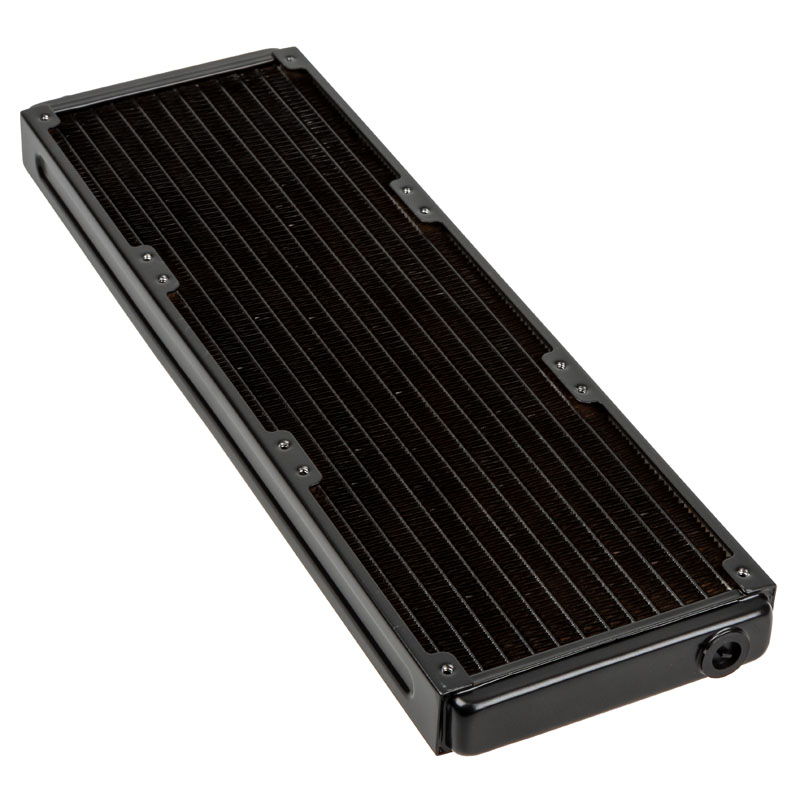
Maintain your gaming PC at optimum temperatures using a Water Cooling Radiator from Overclockers UK. Explore a fantastic range of radiators from Hardware Labs, Barrow, Magicool, and EK Water Blocks, in sizes ranging from 120mm to 560mm. Radiators are designed to efficiently transfer the waste heat produced by your gaming hardware into the surrounding air, where it can be effectively dispersed. To do this, a radiator utilises multiple heat pipes, interconnected by hundreds of small fins to maximise the surface area. These delicate components are then encased in a protective frame, featuring multiple mounting points for attaching the radiator to your case and installing cooling fans. Additionally, a radiator has inlet and outlet ports for tube fittings. Typically, a radiator is manufactured from a range of premium materials, such as copper for the heat pipes, aluminium for the fins, and steel for the frame.
Fan Configurations
For optimum cooling, you’ll need to pair your radiator with some cooling fans. There are three options on how to configure your fan layout: push, pull, and push/pull. Each has their own advantages and disadvantages.
- Push - In a push configuration, your fans are positioned below the radiator, so that they can blow air through the fin stack. This set-up offers excellent cooling performance, which is especially effective when your fans are mounted at the front of your case with access to cool air. If your fans are not fully sealed against your radiator, air can leak around the edges, limiting their effectiveness.
- Pull - With a pull configuration, your fans will be positioned on top of the radiator, where they can pull air through the fins. This method offers quieter operation, as the air won’t bounce back into the fan and cause turbulence. A pull configuration is easy to maintain, as air will generally build up on the surface of the radiator not inside it, making it simpler to clean. The main disadvantage of a pull set-up is that it offers the weakest cooling performance.
- Push/Pull - A push/pull set-up utilises fans on both sides of the radiator, allowing them to deliver phenomenal cooling performance. You can configure your fans to run at a lower speed, meaning they’re quieter in operation. The additional fans do require more space, so you might not have room in your case to install a push/pull. Furthermore, maintenance is more difficult, as there are more components to clean.
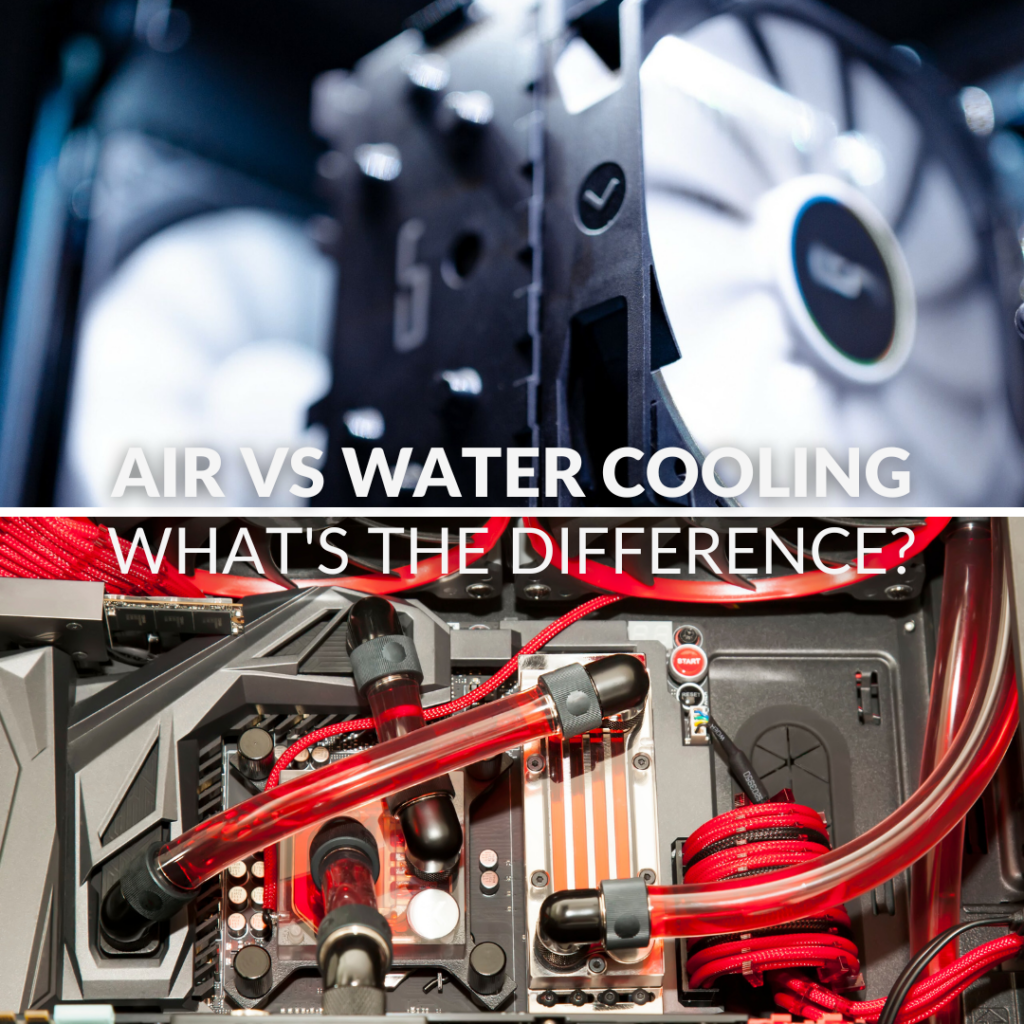
Want to Read More?
Are you looking to build your dream gaming PC, but you’re not sure whether to use an air cooler, AIO, or custom loop? We're here to help as we explore the differences between air- and water-cooling solutions on the Overclockers UK blog.
Read MoreWater Cooling Radiators FAQ
What brands of water cooling radiators do Overclockers UK stock?
Here at Overclockers UK, we stock a fantastic range of water cooling radiators from brands like Corsair, Barrow, Hardware Labs, EK Waterblocks, and more.
What sizes of water cooling radiator are available?
Water cooling radiators come in a wide range of lengths, from small 120mm models to massive 560mm editions. Furthermore, radiators can vary in thicknesses, from 20mm up to 60mm+, to match any PC build.
Where should I mount my water cooling radiator?
Where you can mount your water cooling radiator depends on your case. Most cases feature a space to install a radiator at the top, with some also offering mounting points at the front, side, or rear.
How do I clean my water cooling radiator?
To clean the outside of your water cooling radiator, we recommend using compressed air or an electric air duster. This will blow any collected dust out of the fin stack, without damaging them.
What fans should I use with a water cooling radiator?
The fans you pair with your radiator depends on its size. For example, a 120mm radiator is compatible with 120mm fans, whilst a 280mm radiator will work with two 140mm fans. We do recommend, however, that you use fans that feature a high static air pressure to overcome the resistance created by the fin stack.
The Overclockers Difference

Innovative Products and Exclusive Brands
Overclockers UK not only offers next day delivery on thousands of products but also stocks exclusive brands from cutting-edge manufacturers including AMD, Intel, Asus, Gigabyte, Team Group and an ever-growing range of ultimate performance overclocked elite-tier hardware approved by 8 Pack.

Industry Leading Customer Support
Whether you are after advice, product information or even aftersales support we are here for you. Overclockers UK offers unparalleled customer service which is available across multiple platforms including telephone, social media, email, webnotes, live chat, and even a dedicated section on Overclockers forum. We even offer a 3 year warranty on our own PC's.

5 Star Service
Overclockers UK are rated one of the top PC, hardware and peripheral retailers in the country. From premium products to a personal shopping experience. You can trust us to deliver an unbeatable 5-star service.
Subscribe and Save

Subscribe to the Newsletter
Sign up to our weekly newsletter and get the latest news, offers, and deals directly to your inbox. Don't worry you can unsubscribe at anytime.
Stay Up To Date
Keep me up to date with the latest news, product launches and promotions
* Required field
Our customers know our services and this is reflected in the rating they give us. Leave us your opinion and help us to improve it.
What our customers say about us